Clock & date
A little perspective, at a glance.
 OpenDockBETA
Your time, your music, your little essentials.
Together in one beautifully native dock.
Made for macOS 26+ · Free & open source
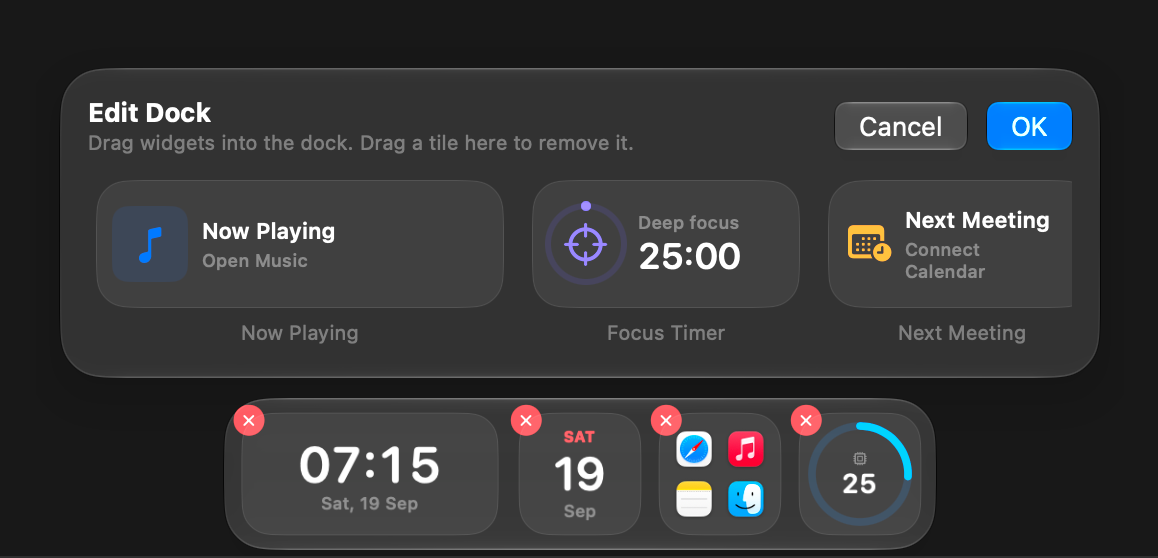
Everyday layout: clock, date, app launcher, and system stats.
A HOME FOR YOUR EVERYDAY
A focus timer for the morning. Music for the afternoon. Build a space around the way you actually work.
FEELS RIGHT AT HOME
Built with SwiftUI and real Liquid Glass. A natural extension of your desktop, with the feel you already love.
A floating bar that keeps your essentials close. Auto-hide lets your work take the whole stage.
Open source from the start. Explore the code, contribute a native widget, or help shape what comes next.
Your Mac has room for a little more you.
Get OpenDockFor macOS 26 and later · Free & open sourceEarly days, thoughtfully built. Check GitHub for available releases
or build from source to try the latest.
A FEW LITTLE ANSWERS
OpenDock is a native Mac app for macOS 26 and later. Check the repository’s releases for available builds and installation details.
OpenDock adds a personal space for widgets and launchers. It doesn’t replace the system Dock’s window management, minimized windows, or Exposé.
Yes. Native widgets use the Swift SDK in OpenDockKit. JavaScript and React widgets, along with a community marketplace, are on the roadmap.
OpenDock is free and open source. You can explore the code, report an issue, and contribute on GitHub.